By default, Idealpos will automatically create new customers from Web Orders when the orders arrive.
A User-Defined Option can be created to stop this behaviour and prevent the auto-creation of customers from Web Orders.
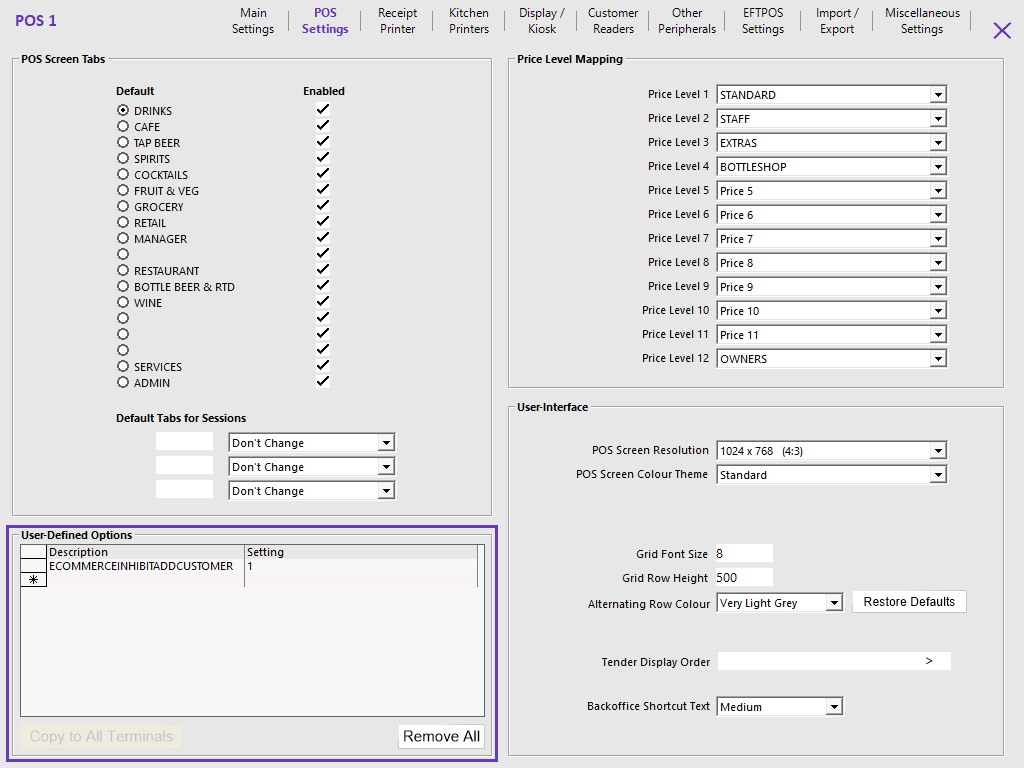
To configure this functionality, go to: Back Office > Setup > POS Terminals > Select a POS Terminal > Modify > POS Settings > User-Defined Options.
Create the following User-Defined Option: